Goals
The primary goal was to help students visually comprehend and analyze particle behavior under varying temperatures, states of matter, and environmental changes — turning abstract scientific concepts into something they can manipulate and observe directly, as an introductory, hands-on tool in the classroom. Both models are built on the Molecular Dynamics Lennard-Jones model (Kelter & Wilensky, 2022), so the sliders students drag are grounded in real physics rather than a simplified cartoon of particle behavior.
Model 1: Thermal Mix
What is it?
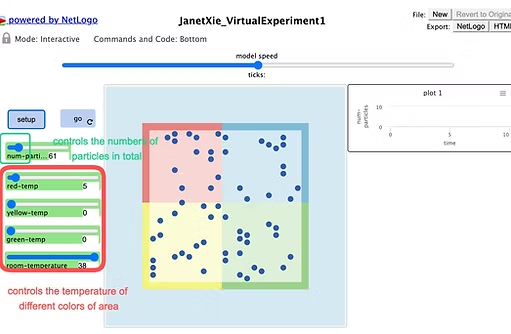
A container is divided into four zones — red, yellow, green, and blue. Sliders control the temperature of the red, yellow, and green zones directly, while the blue zone is governed by room temperature. The model lets students explore how changing a zone's temperature changes the behavior of the particles inside it.
How it works
Particle movement follows the Lennard-Jones potential, so particles interact with each other based on their distance and energy levels — moving and colliding according to their temperature and position within the container.
How to use it
Set the number of particles, then use the temperature sliders for the red, yellow, and green zones (and the room-temperature slider, which governs the blue zone and influences all the others). Click setup to initialize the model, then go to start the simulation.
Extending the model
Add more particles or adjust the Lennard-Jones potential for a more detailed, accurate model — or change the size or shape of the container to create new environments for the particles.
Things to notice — What happens when only one zone is set to the minimum or maximum temperature? Why?
Things to try — Watch how particles move and interact based on each zone's temperature, and how the room temperature affects the particles in the blue zone. What happens when there's only one particle? Try different particle counts.
Example code & trajectory
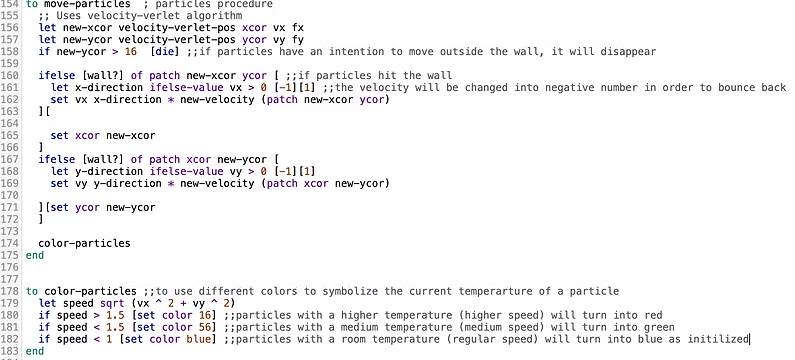
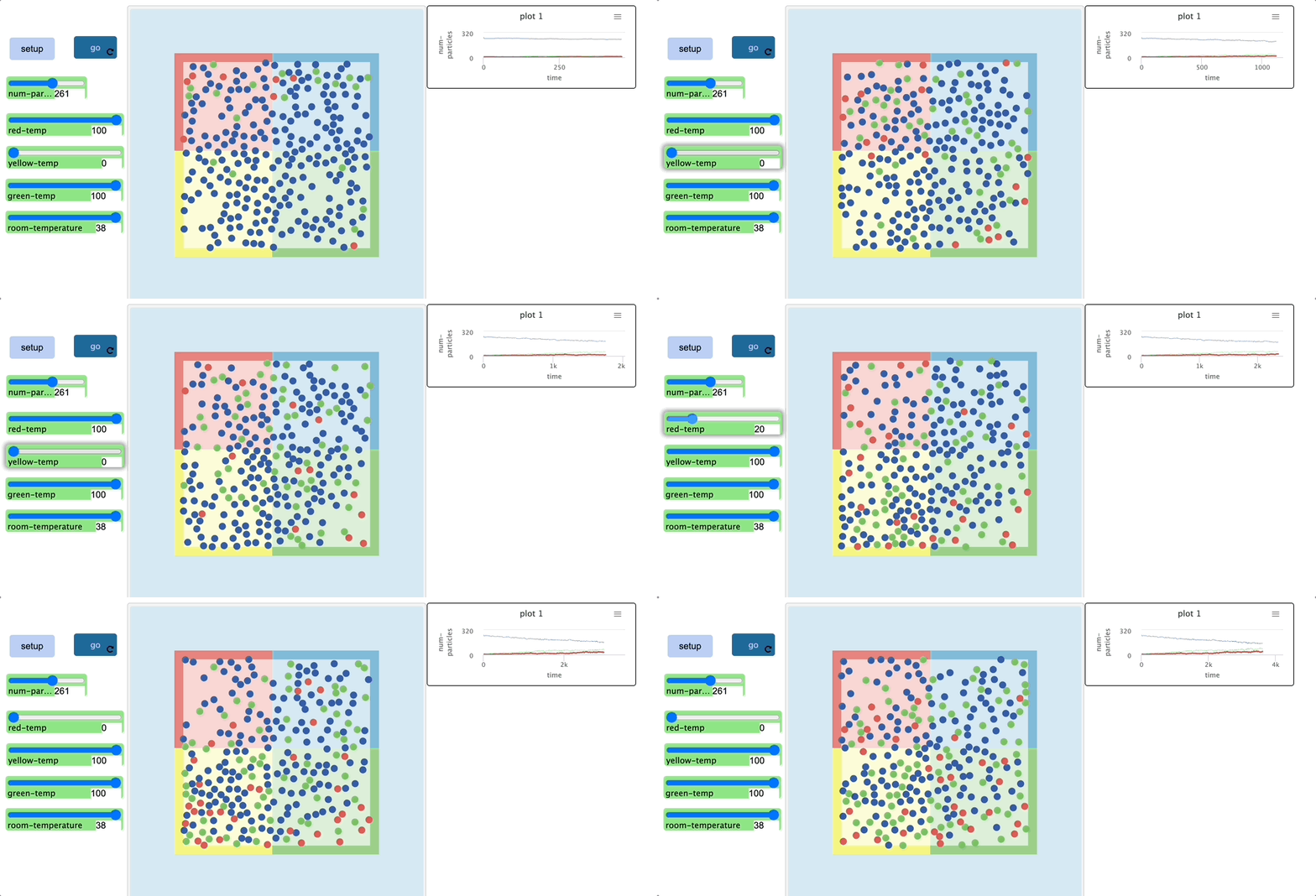
move-particles updates each particle's position with a velocity-Verlet integrator and bounces it off the container walls; color-particles then recolors it by speed — red above 1.5, green in the mid-range, blue at or below room-temperature speed — so a particle's temperature reads instantly as color. As the sliders are pushed toward their extremes (red-temp and green-temp at 100, yellow-temp at 0), more red particles collect in the heated zones and more blue particles settle into the room-temperature zone.
Model 2: Evaporation
What is it?
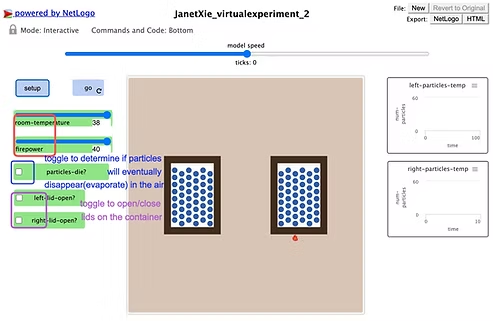
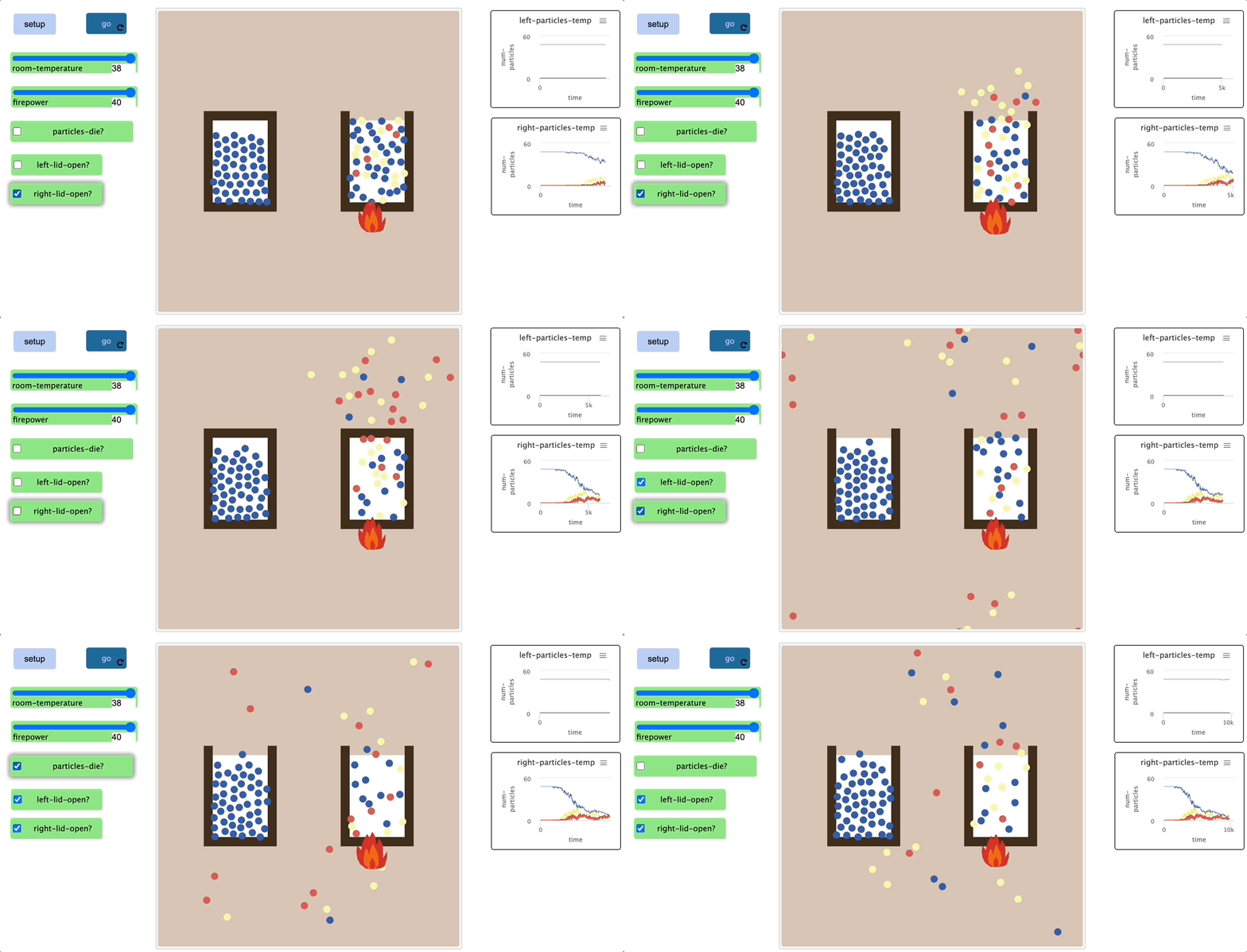
This model shows water molecules transitioning from liquid to gas under varying temperature conditions. Adjustable temperature and firepower sliders, plus switches to open or close each container's lid, let students experiment directly with the rate and mechanics of evaporation.
Example code & trajectory
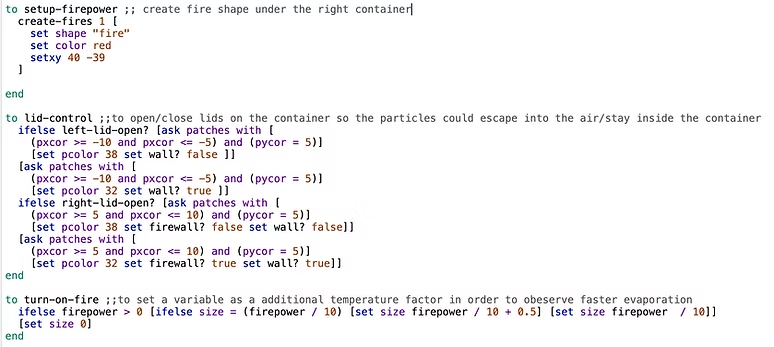
setup-firepower draws a fire icon beneath the right-hand container, and turn-on-fire scales that flame with the firepower slider to signal added heat. lid-control opens or closes each container by toggling whether its top patches act as a solid wall, letting particles escape into open air. With the right lid open and firepower turned up, particles clearly evaporate out of that container faster than in the closed, unheated left container; if particles-die? is off, escaped particles keep moving and can drift into the open left container, changing its temperature.
Student engagement & learning trajectories
Both models are structured to encourage exploration: students manipulate sliders and switches and observe the outcome directly. This interactive approach supports a progression from basic concept recognition to more advanced analysis and application, useful across different stages of a lesson.
Why NetLogo
Both models are built on the Molecular Dynamics Lennard-Jones model (Kelter & Wilensky, 2022), giving the simulations real physical grounding. NetLogo's agent-based environment made it straightforward to expose the underlying physics as a handful of student-facing sliders and switches, rather than hiding it behind a black box.
Reference
Kelter, J. and Wilensky, U. (2022). NetLogo Molecular Dynamics Lennard-Jones model. Center for Connected Learning and Computer-Based Modeling, Northwestern University, Evanston, IL.
Wilensky, U. (1999). NetLogo. Center for Connected Learning and Computer-Based Modeling, Northwestern University, Evanston, IL.