Problem
Existing Torus onboarding was hard to use:
- One long video. Hard to find one specific step.
- Scattered links. Just a list of YouTube videos, no central hub.
- No hands-on practice. Static video, nothing to click or try.
Result: new users struggled to get started and often gave up.
Solution
I built an interactive, clickable tutorial that mirrors the real Torus interface:
- Guided, hands-on walkthroughs. Self-paced steps with real clickable actions.
- Persistent navigation. One menu to revisit any section, anytime.
- Searchable & scalable. Finds keywords across every transcript, and grows with Torus.
Result: users find what they need and learn by doing.
Design Process
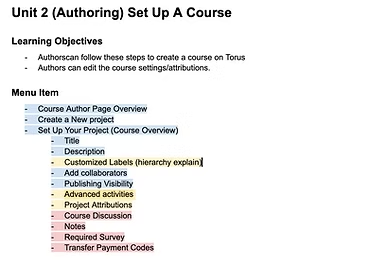
Define learning objectives & modules
Based on Subject Matter Expert interviews and think-aloud studies, I identified key user pain points and knowledge gaps when onboarding to Torus. From that research, I:
- Defined clear learning objectives for each stage of the tutorial
- Structured content into modular units, each aligned to a user task
- Prioritized core features for autoplay and marked advanced features as optional, click-to-learn elements
Writing instructional scripts
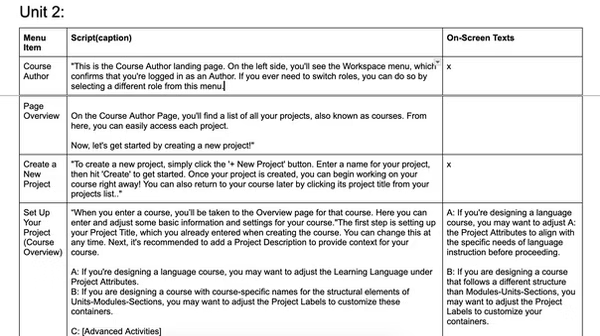
Once the structure was set, I wrote instructional scripts that:
- Mirror the real Torus interface and workflow
- Use a friendly, supportive tone to guide new users
- Include optional branches for deeper feature exploration
- Highlight decision points and common misconceptions
This phase also included collaborative editing with Subject Matter Experts to ensure clarity and flow.
Voice & video production
I recorded all narration using my own voice for a more natural and human tone. During production, I:
- Synced narration with on-screen interactions
- Created illustrative content to visualize concepts and show real UI behavior
- Edited each segment for smooth transitions, timing, and clarity
- Incorporated captions using the previously written scripts
This approach made the tutorial more engaging, authentic, and user-friendly.
Interface prototyping in Figma
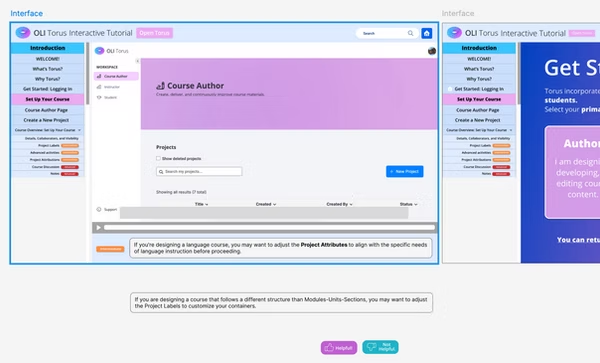
Before building the actual interaction, I designed the interface layout and menu structure in Figma to establish a clear visual flow. This helped prototype:
- A clean and intuitive layout
- Persistent sidebar navigation
- Visual grouping of related actions and tutorials
Full development in Visual Studio Code
Interface Design
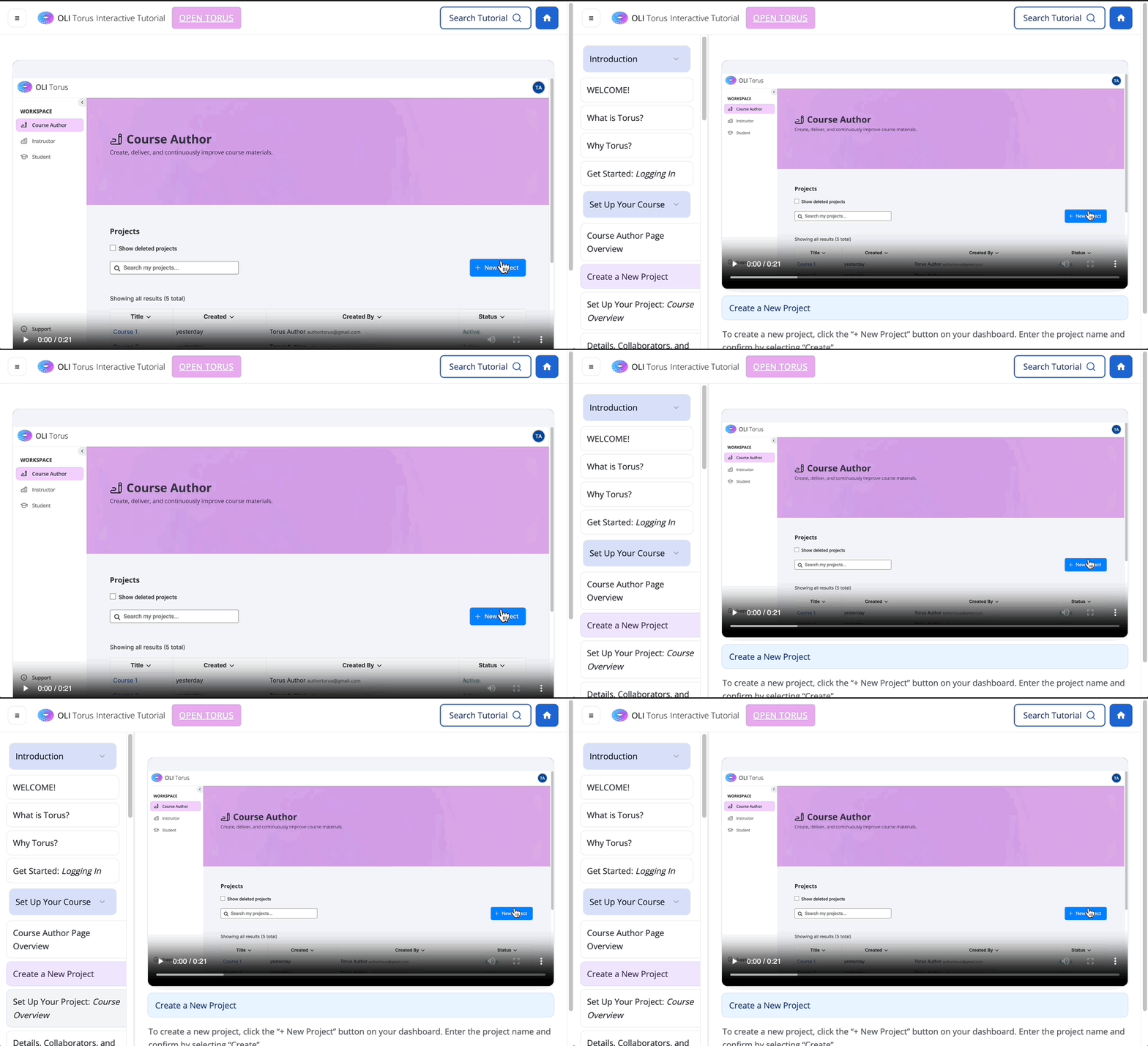
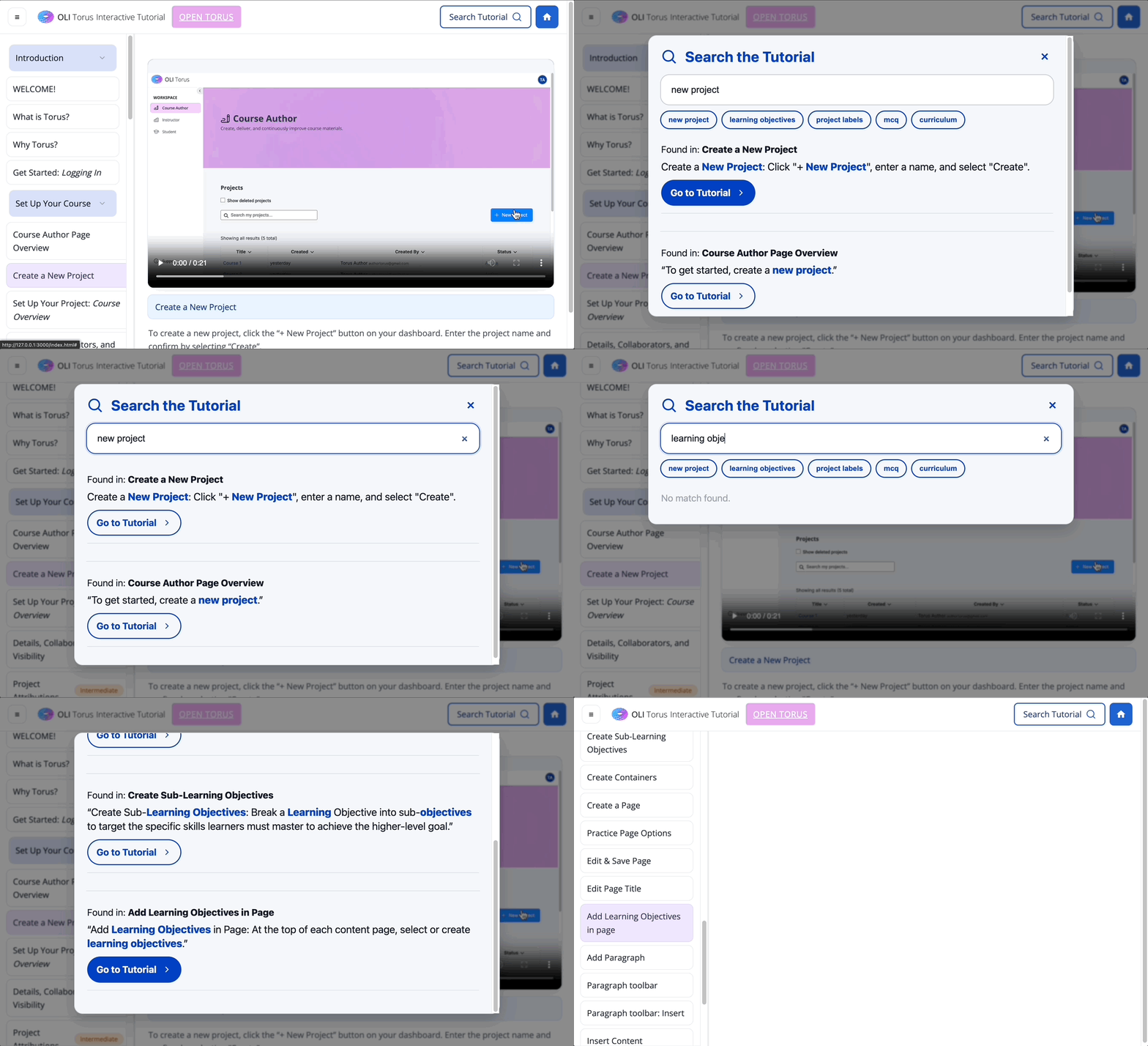
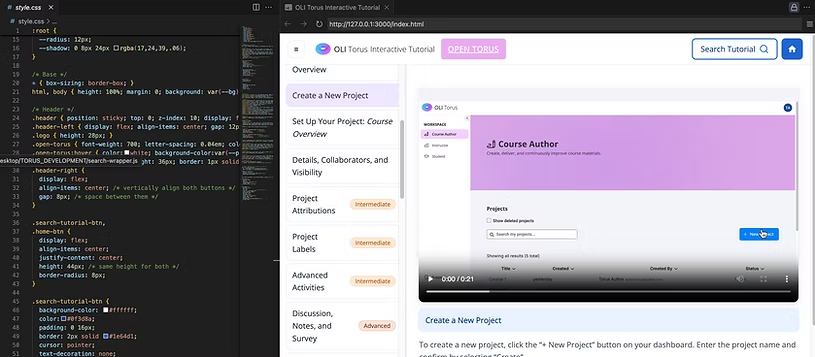
The system uses a unified HTML and CSS template to ensure a consistent look and feel across all tutorial pages. A responsive video container fills the available space, with a dedicated title bar directly beneath the video. Typography, spacing, and colors are standardized so design updates can be applied globally, and the layout adapts to different screen sizes to support responsive viewing.
Navigation System
A collapsible, scrollable sidebar menu allows users to browse tutorial sections efficiently, styled to match the target UI theme with smooth transitions and hover effects for better interactivity. Sidebar items can expand/collapse for section grouping, and state-preserving navigation ensures users can move between tutorials without full page reloads.
Search System (Search Wrapper)
A dedicated search wrapper page integrates with a transcript-data file that stores transcripts for every tutorial. Fuzzy search matches keywords within transcripts and highlights relevant results, each with a snippet of the matching transcript and a "Go to tutorial" button that opens the corresponding tutorial page directly. This modular design makes adding new tutorials as simple as updating the transcript data file.
Maintainability & Scalability
Consistent templates and centralized data allow rapid updates. The modular JavaScript structure means features like search or new UI elements can be integrated without disrupting existing pages, and future tutorials can follow the same template without extra configuration.
Live prototype
This demo is a prototype of the tutorial hub interface. The overall layout and interaction flow are in place, but the design elements are not fully finalized yet. Some videos have already been integrated so you can get a sense of how the experience will look and feel, while others are still placeholders or pending upload. The goal here is to show the structure, navigation, and core functionality, rather than a finished design.